'Your Connection is Not Private' Error: SSL Certificate Causes and Fixes
Learn how to fix SSL/TLS certificate errors, expired certificates, domain mismatches, and chain configuration issues.
Erlan Carreira
Software Engineer & Entrepreneur
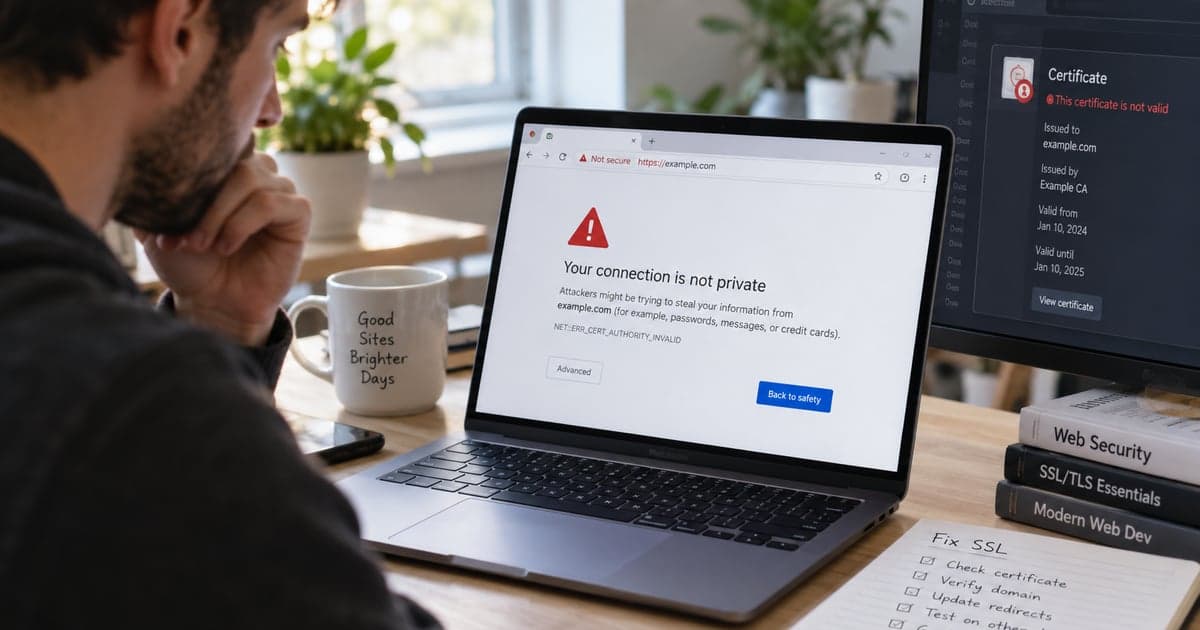
The message "Your connection is not private" appears when the browser cannot validate the identity presented by the site via TLS. The certificate may be expired, issued for another name, incomplete, or signed by an untrusted authority. The device, clock, antivirus, proxy, or network may also interfere.
Direct Response
Do not ignore the warning on login, payment, or personal data pages. Confirm the date and time on the device and test another network. If you manage the site, inspect the domain, validity, and chain of the certificate, check DNS and SNI, install the complete chain, and automate renewal. Then test externally in more than one browser.
Step 1: Read the Browser Code
Common examples:
| Code | Likely Meaning |
|---|---|
NET::ERR_CERT_DATE_INVALID | expired, not yet valid, or incorrect clock |
NET::ERR_CERT_COMMON_NAME_INVALID | domain not listed on the certificate |
ERR_CERT_AUTHORITY_INVALID | untrusted chain or self-signed certificate |
ERR_SSL_VERSION_OR_CIPHER_MISMATCH | incompatible TLS protocol/cipher or termination |
The exact text directs the investigation. Do not repeatedly issue new certificates before understanding the error; authorities impose limits.
Step 2: Inspect the Server
openssl s_client -connect example.com:443 \
  -servername example.com -showcerts </dev/null
Check subject, issuer, dates, Subject Alternative Names, and validation result. The -servername parameter tests SNI, essential when multiple domains share the same IP.
Also confirm that example.com and www.example.com are covered if both are used. A wildcard *.example.com does not automatically cover the root domain.
Step 3: Install the Complete Chain
The server should normally present the domain certificate and the necessary intermediates. Do not send the private key. In Nginx with Certbot, the configuration usually points to fullchain.pem and privkey.pem, but use the paths generated in your environment:
ssl_certificate /etc/letsencrypt/live/example.com/fullchain.pem;
ssl_certificate_key /etc/letsencrypt/live/example.com/privkey.pem;
Protect the key with minimal access and never place it in the repository. If there is suspicion of exposure, revoke and replace the certificate.
Step 4: Validate DNS, Proxy, and CDN
The domain may point to an old server that presents another certificate. Check A, AAAA, and CNAME records and compare with the current platform. If there is a CDN, check the certificate at the edge and the connection from the edge to the origin. Modes that do not validate the origin weaken security.
Step 5: Test Automatic Renewal
Standard Let's Encrypt certificates have a short lifespan and must be renewed automatically. Test the mechanism:
sudo certbot renew --dry-runConfirm timer or cron, challenge permissions, ports 80/443, DNS, and server reload after renewal. Monitor the expiration date externally; having the new file does not mean the process has started serving it.
When the Problem is on the Device
Update the date and time, system, and browser. Networks with access portals may intercept the first visit; open a neutral HTTP page to complete the login. On corporate equipment, seek support before removing certificates or antivirus. If only one old device fails, the root store may be outdated.
Mixed Content is Not the Same Failure
After the HTTPS page opens, HTTP resources may be blocked as mixed content. Change images, scripts, and CSS to HTTPS and review absolute URLs. This is not fixed by renewing the certificate.
Production Checklist
- valid and up-to-date certificate;
- SAN covers all published hosts;
- complete chain served;
- private key protected;
- DNS points to the current infrastructure;
- renewal tested and monitored;
- HTTP redirects to HTTPS without loop;
- no media or script uses HTTP;
- old protocols disabled according to the platform.
If the failure is name resolution, follow the guide on NXDOMAIN. For unavailable pages, see error 404.
Frequently Asked Questions
Can I click "advanced" and continue?
Not when there are credentials or sensitive data involved. With HSTS, the browser may block continuation entirely.
Are SSL and TLS the same thing?
SSL is the historical name still used in the market; modern browsers use TLS.
Primary Sources
Erlan Carreira
Software Engineer & Entrepreneur
Specialist in software development, automation, and SaaS. I write about technology, digital business, AI, and engineering practices for teams committed to execution excellence.