Implementing Automated Workflows with Zapier and Webhooks
Learn Zapier webhook automation best practices: how to connect tools, set up triggers, and build reliable automated workflows step by step.
Erlan Carreira
Software Engineer & Entrepreneur
Opening
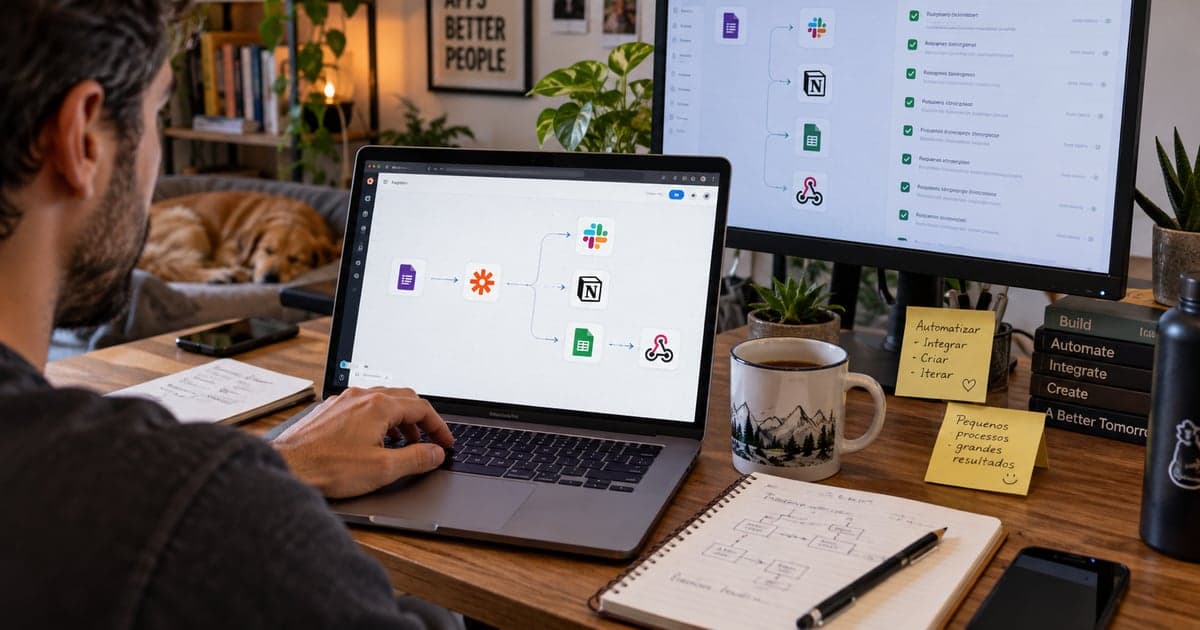
Integrating multiple tools is a common challenge for companies looking to optimize their processes. Often, automation is limited to basic integrations, overlooking the more complex possibilities that webhooks offer. In this article, we will discuss how to implement automated workflows using Zapier and webhooks, ensuring a more robust and personalized integration between your tools.
Context
Zapier is a powerful tool for automating tasks between different applications, allowing you to create "Zaps" that connect these tools. However, many users do not explore its more advanced features, such as webhooks, which allow for more direct and flexible communication between systems. Webhooks are essentially URLs that accept data from one service and send it to another, enabling real-time events to trigger actions in different systems. This approach is especially useful when you need to integrate tools that do not have native support in Zapier.
Technical Decision
Before implementing automated workflows with webhooks, it is important to consider a few factors:
- Integration Complexity: Assess whether the desired integration can be achieved with simple Zaps or if it truly requires webhooks. For complex integrations, such as real-time data exchange between platforms, webhooks are more suitable.
- Update Frequency: If you need data to be updated in real-time, webhooks are the right choice, as they trigger actions immediately when an event occurs.
- Security: Consider the security implications of exposing webhook endpoints. It is crucial to implement authentication and data validation to prevent sensitive information from being compromised.
Step by Step
Below is a practical guide to implementing automated workflows with Zapier and webhooks:
- Setting Up the Webhook in Zapier:
- Access your account on Zapier and create a new Zap.
- Choose "Webhook by Zapier" as the trigger and select the "Catch Hook" option.
- Zapier will provide a webhook URL that you will use to send data.
- Sending Data to the Webhook:
- In the service you want to integrate, configure it to send data to the webhook URL. Most modern tools allow you to set up webhooks in their integration options.
- Test sending data to ensure that the webhook is functioning correctly.
- Processing the Received Data:
- After receiving the data in Zapier, you can use additional actions to process it. For example, you can store the data in a Google Sheets spreadsheet or send notifications via Slack.
- Configure the actions as needed to meet your automation requirements.
- Testing the Workflow:
- Run tests to verify that the automation works as expected. Monitor the received data and the executed actions to ensure everything is in order.
- Monitoring and Improving:
- After implementation, monitor the performance of your automated workflow. Adjust as necessary to optimize efficiency and resolve potential issues.
Common Mistakes
- Not validating received data: Always implement validations to ensure that the data received at the webhook is correct.
- Not considering security: Exposing a webhook without proper protections can lead to vulnerabilities. Use authentication and encryption whenever possible.
- Ignoring logs and monitoring: Keeping a record of interactions with the webhook can help identify problems and optimize the workflow.
Implementation Checklist
- Define the objectives of the automation.
- Create a Zap in Zapier and configure the webhook.
- Set up the external tool to send data to the webhook.
- Test the data flow.
- Implement validations and security.
- Monitor the performance of the workflow.
Tradeoffs and When Not to Use Webhooks
Although webhooks offer flexibility and efficiency, there are situations where they may not be the best choice:
- Simplicity of Integration: If your automation needs are simple and can be met by standard Zaps, there is no need to complicate things with webhooks.
- Limited Resources: If the tool you are trying to integrate does not support webhooks, you will need to look for alternatives or limit your automations.
- Low Update Frequency: For processes that do not require real-time updates, a scheduled approach may be more appropriate.
Conclusion
Automating workflows using Zapier and webhooks can transform the way your team operates, reducing manual errors and increasing efficiency. By following this guide, you will be able to implement complex integrations that meet your specific needs. The next steps include monitoring the performance of your workflow and making adjustments as necessary to ensure it continues to meet your expectations.
Sources and Next Steps
See how we work with APIs and integrations.
Erlan Carreira
Software Engineer & Entrepreneur
Specialist in software development, automation, and SaaS. I write about technology, digital business, AI, and engineering practices for teams committed to execution excellence.