How to Integrate the WhatsApp Business Cloud API in Web Systems
A step-by-step implementation guide for webhooks, template messages, and interactive notifications using WhatsApp API.
Erlan Carreira
Software Engineer & Entrepreneur
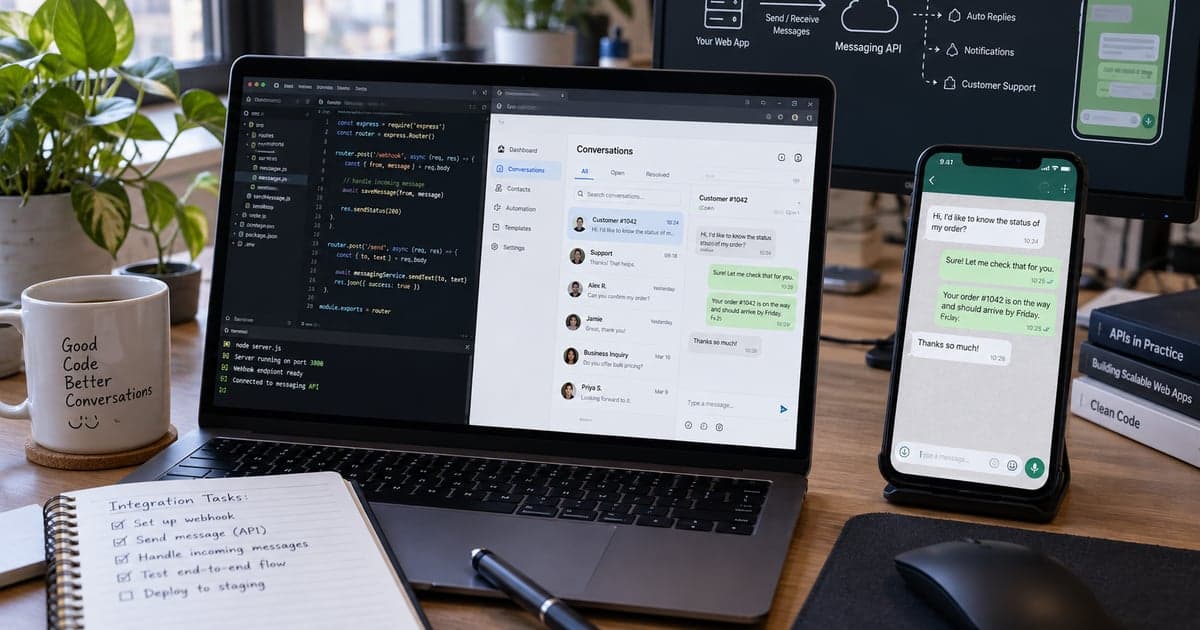
The official WhatsApp Business API allows systems to send and receive messages through Meta's platform. It should not be confused with WhatsApp Web automation. A reliable integration requires a business account, configured number, permissions, verified webhooks, approved templates, and consent management.
Direct Response
Create or use a Meta for Developers account, add the WhatsApp product, associate the business portfolio and number, generate appropriate credentials on the server, send a test message via the Graph API, configure an HTTPS endpoint for the webhook, validate the challenge, verify the signature of events, and model sending, response, and error states.
1. Prepare Accounts and Assets
You will need administrative access to business assets, an app on Meta, and an eligible number. For production, review business verification, display name, and payment method as required in the dashboard. Screens and requirements may change; follow the dashboard and the current official documentation.
Do not use important personal numbers in tests without understanding the migration. Start with the testing resources offered by the platform.
2. Secure the Token
The token is a server credential. Never place it in JavaScript sent to the browser, mobile app, print, or repository. Store it in an environment variable or secret vault and grant only necessary permissions.
Example of variables:
WHATSAPP_PHONE_NUMBER_ID=...
WHATSAPP_ACCESS_TOKEN=...
WHATSAPP_VERIFY_TOKEN=your-defined-secret
WHATSAPP_APP_SECRET=...
The verify token is chosen by you to confirm the webhook configuration; it does not replace the cryptographic verification of the received signature.
3. Send a Test Message
Use the current version of the Graph API indicated in the dashboard:
curl -X POST "https://graph.facebook.com/VERSAO/PHONE_NUMBER_ID/messages" \
  -H "Authorization: Bearer ACCESS_TOKEN" \
  -H "Content-Type: application/json" \
  -d '{
    "messaging_product": "whatsapp",
    "to": "55DDDNUMBER",
    "type": "template",
    "template": {"name": "hello_world", "language": {"code": "en_US"}}
  }'
Do not copy version, ID, or token from an old tutorial. Record the returned message ID and track its subsequent statuses via the webhook.
4. Configure the Webhook
The endpoint needs to be public and HTTPS. During the initial verification, Meta sends challenge parameters. Compare the token and return the challenge when valid. After that, events arrive via POST.
Recommended flow:
receive -> validate signature -> register ID -> respond 200 quickly
       -> queue -> process -> update conversation/status
Validate X-Hub-Signature-256 using HMAC SHA-256 with the app secret and the raw body. Make a timing-safe comparison. Reject invalid signatures. The framework should not modify the body before verification.
5. Ensure Idempotency
Webhooks can be repeated. Store the unique identifier of the event or message and do not process the same effect again. Respond quickly and move time-consuming rules to a queue. Maintain dead-letter and retry with limits.
6. Understand Window and Templates
Messages initiated by the business typically use approved templates. Within the service window opened by user interaction, other messages may be allowed according to current rules. Categories, pricing, limits, and policies change; consult the official documentation before designing cost and operation.
A template must be clear and correspond to the approved use. Do not turn transactional messages into disguised marketing. Record language, version, and variables so that changes are auditable.
7. Model States
Do not mark a message as delivered just because the POST returned success. Model at least:
| State | Origin |
|---|---|
| accepted | API response |
| sent | status webhook |
| delivered | delivery webhook |
| read | webhook, when available |
| failed | normalized code and detail |
Keep the minimum necessary payload and define retention. Relate each message to the correct conversation and tenant.
8. Manage Consent and Service
Collect clear opt-in for the purpose, offer opt-out, and respect preferences. Do not import lists without operational basis. Guide agents on transfer, timing, history, and sensitive data. LGPD requires proportional purpose, transparency, and security; consult legal guidance for your case.
9. Monitor Errors and Quality
Log request ID, normalized code, template, masked destination, and latency, never the full token. Create alerts for increased failures, webhook without events, queued backlog, and credentials nearing expiration. A dashboard should separate acceptance, delivery, and reading.
The article integration via API explains the overall design, and automation of integrations shows controls against manual errors.
Production Checklist
- assets belong to the business account;
- token outside of client and repository;
- HTTPS webhook and validated signature;
- idempotent events processed in queue;
- templates and languages versioned;
- opt-in and opt-out recorded;
- logs without excessive data and secrets;
- alerts and status dashboard active;
- policy and pricing reviewed in current documentation;
- rotation and incident procedure documented.
Frequently Asked Questions
Can I use a library that controls WhatsApp Web?
This does not equate to the official API and may create stability and policy risks. For business operation, use the official platform.
Does a 200 return mean the message was delivered?
No. It informs acceptance of the request; delivery is confirmed by status events.
Primary Sources
Erlan Carreira
Software Engineer & Entrepreneur
Specialist in software development, automation, and SaaS. I write about technology, digital business, AI, and engineering practices for teams committed to execution excellence.